TAKEFRAME / INDEPENDENT GUIDE · TESTED 2026-10-22
How to use Topview T1 for a product video
Start with one clear product image, ask for a single shot, then inspect the result. Here is an actual MORROW candle test: the original image, the returned video and the settings behind it.
Takeframe is independent of Topview. Our public preview lets you watch this example and prepare an image locally. New generation and checkout are not open.
1. Start with a clear product photo
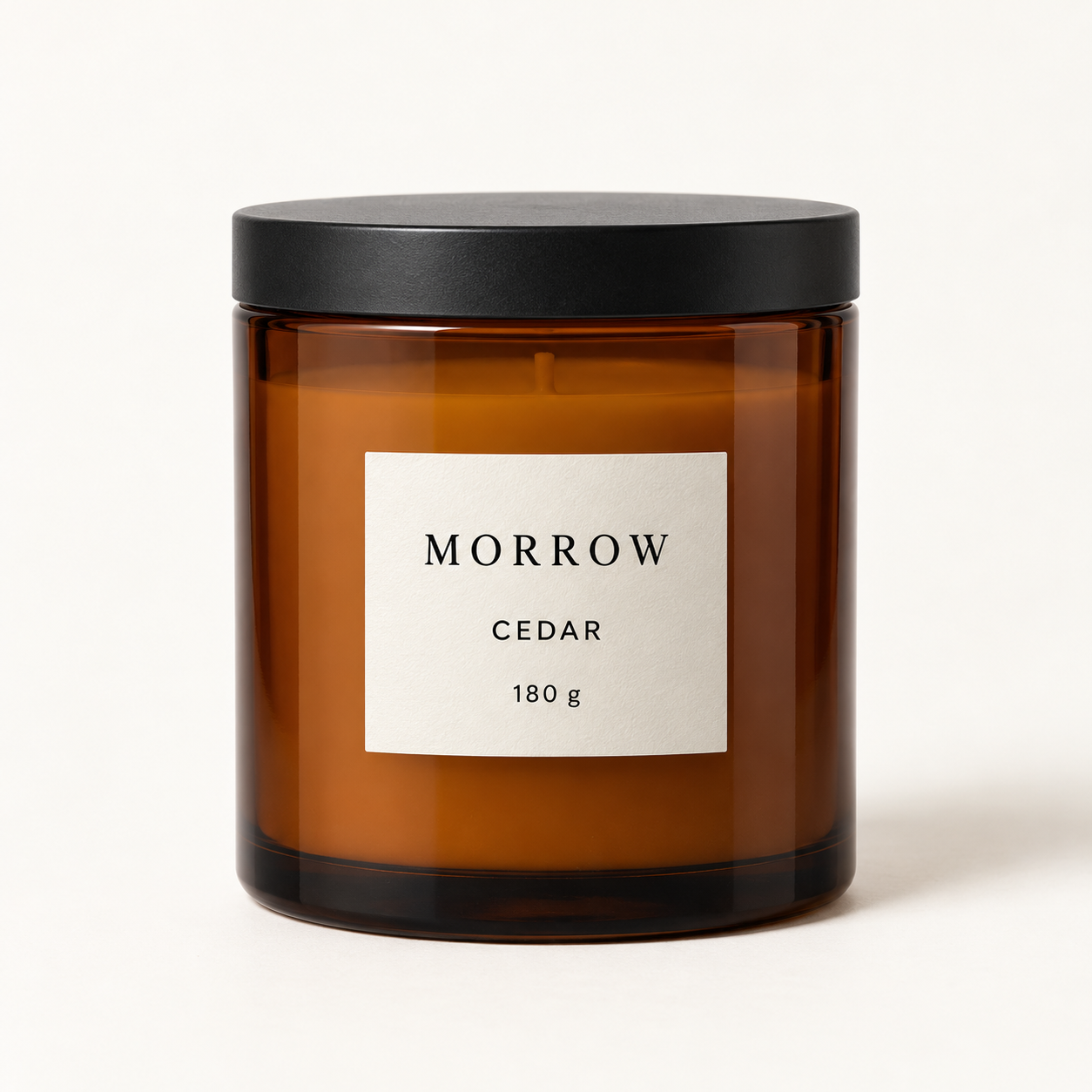
Original input: a 1254 × 1254 PNG. This still image is the reference, not the generated video.
Use an image you own or have permission to process. Keep the main product visible and decide what matters most: its shape, label, material or lighting. Small printed text deserves particular attention when you review the clip.
2. Choose one shot and check the quote
For your own shot description, name the product, desired movement, lighting and details that should stay consistent. This is writing guidance, not the exact prompt used in our test: the saved evidence does not retain that wording.
Our test selected Topview T1, a fixed 4-second request and the provider’s 720p setting. Before submitting your own request on Topview, confirm the selected model, duration, setting and credit quote in your account. A setting label does not guarantee a particular exported pixel size.
3. Watch the actual result
| Requested | Actually received |
|---|---|
| 4-second clip | About 4.064 seconds including audio |
| Provider’s 720p setting | 960 × 960 pixels |
| One image-to-video task | H.264 MP4 with an AAC audio stream; 5,212,490 bytes |
This run used 4 Topview provider credits: our balance changed from 99 to 95. It was a private test using existing credits, not a customer purchase. An earlier separate test used 6 provider credits, so these results do not establish a fixed price or typical cost. See the pricing explanation for the difference between provider plans and Takeframe’s proposed pack.
4. Inspect before you use it
Play the whole clip. Check the candle outline, label, object details and movement against the original image. Save the file if it meets your needs; a finished render alone does not tell you whether the details are usable. Check the provider’s applicable terms before commercial use.
Make your own next step
On Takeframe you can preview an image and draft a shot description in your browser. That preparation does not upload the image or generate a new video. No account or payment is required to view or download this existing example.
To generate now, use Topview directly. If the link opens its homepage, find the Topview T1 model card and sign in. An eligible plan or credits may be required; check the current quote. For developers, read our API access notes. For comparisons, use the same-input review checklist.